
Hyundai Ioniq (AE): Inside Rearview Mirror / Day/night rearview mirror, Blue Link® center
Hyundai Ioniq (AE) 2017-2022 Owner's Manual / Convenient features of your vehicle / Mirrors / Inside Rearview Mirror / Day/night rearview mirror, Blue Link® center
Day/night rearview mirror
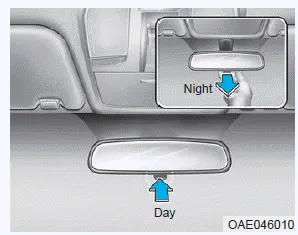
Make this adjustment before you start driving and while the day/night lever is in the day position.
Pull the day/night lever towards you to reduce glare from the headlights of the vehicles behind you during night driving.
Remember that you lose some rearview clarity in the night position.
Blue Link® center
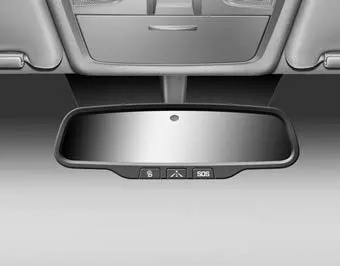
For details, refer to the Blue Link® Owner's Guide, Navigation Manual or Audio Manual.
Before you start driving, adjust the rearview mirror to the center on the view through the rear window. WARNING Make sure your line of sight is not obstructed.
Your vehicle may be equipped with a Gentex Automatic-Dimming Mirror with a Z-Nav™ Electronic Compass Display and an Integrated HomeLink® Wireless Control System.
Categories
- Manuals Home
- Hyundai Ioniq Owners Manual
- Hyundai Ioniq Service Manual
- Repair procedures
- Jump Starting
- Maintenance
- New on site
- Most important about car

Copyright © 2026 www.hioniqae.com - 0.027