
Hyundai Ioniq (AE): Fuses / Fuse/Relay Panel Description
Instrument panel fuse panel
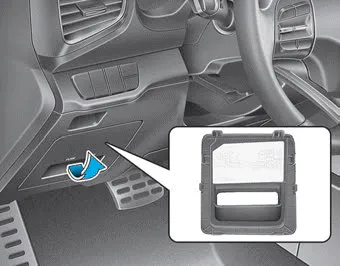
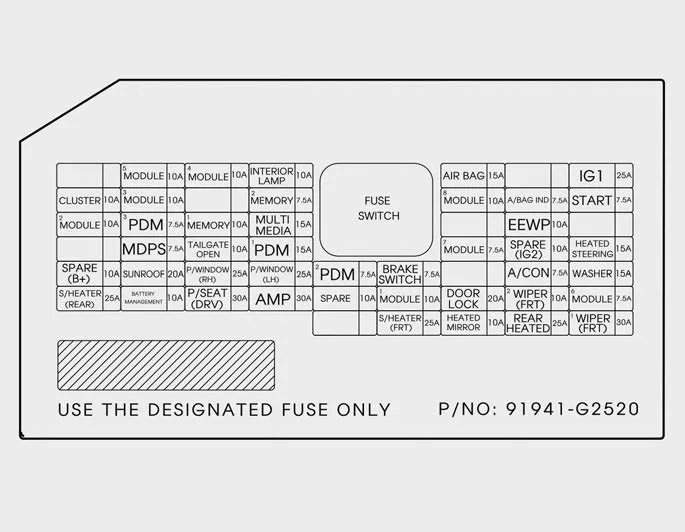
Inside the fuse/relay box cover, you can find the fuse/relay label describing fuse/relay names and ratings.
Information
Not all fuse panel descriptions in this manual may be applicable to your vehicle; the information is accurate at the time of printing. When you inspect the fuse box on your vehicle, refer to the fuse box label.
Engine compartment fuse panel
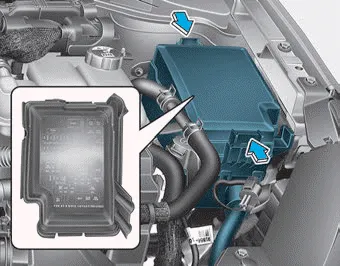
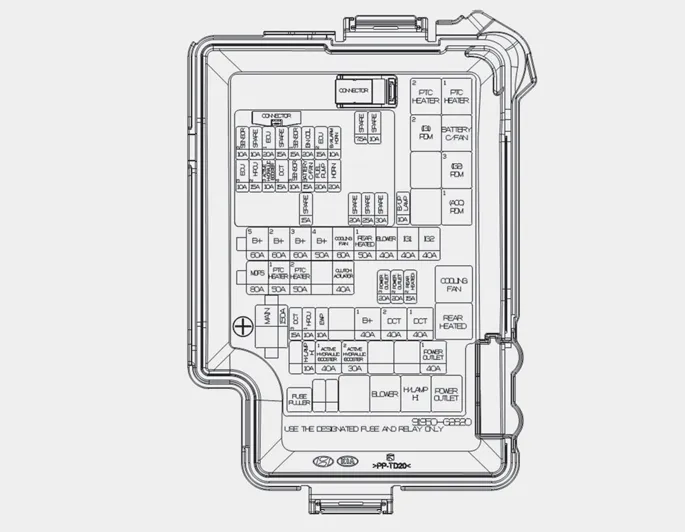
Inside the fuse/relay box cover, you can find the fuse/relay label describing fuse/relay names and ratings.
Information
Not all fuse panel descriptions in this manual may be applicable to your vehicle; the information is accurate at the time of printing. When you inspect the fuse panel in your vehicle, refer to the fuse panel label.
â– Blade type fuse â– Cartridge type fuse 1. Turn the vehicle off. 2. Turn all other switches OFF. 3. Remove the fuse panel cover by pressing the tap and pulling up.
Consult an authorized HYUNDAI dealer to replace most vehicle light bulbs. It is difficult to replace vehicle light bulbs because other parts of the vehicle must be removed before you can get to the bulb.
Other information:
Hyundai Ioniq (AE) 2017-2022 Service & Repair Manual: Special service tools
Special Service Tools Tool Name / Number Illustration Description LKA Compensator(09964-C1100)Used for compensating front view camera unitBCW Sensor Correction Tool Set(09958-3T500)Used to correct the blind-spot radar unit.
Hyundai Ioniq (AE) 2017-2022 Service & Repair Manual: Description and operation
DescriptionBlcok DiagramFunctions of Front View CameraFront View Camera supports the following functions using the information (lane, light source, vehicle and pedestrian) detected by the front view camera and the vehicle's signal information (CAN communication).
Categories
- Manuals Home
- Hyundai Ioniq Owners Manual
- Hyundai Ioniq Service Manual
- Coolant. Repair procedures
- Maintenance
- Front Disc Brake. Repair procedures
- New on site
- Most important about car
