
Hyundai Ioniq (AE): Trickle Charge / How to Disconnect Portable Charger (ICCB: In-Cable Control Box)
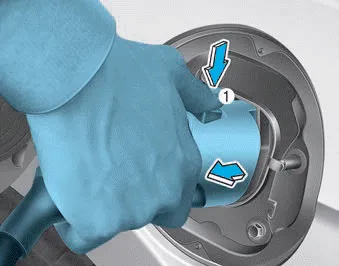
1. Hold the charging connector handle and pull it while pressing the release button (1).
Information
To prevent charging cable theft, the charging connector cannot be disconnected from the inlet when the doors are locked. Unlock all doors to disconnect the charging connector from the inlet. However, if the vehicle is in the charging connector AUTO mode, the charging connector automatically unlocks from the inlet when charging is completed. For more details, refer to "Charging Connector AUTO/LOCK Mode" in this chapter.
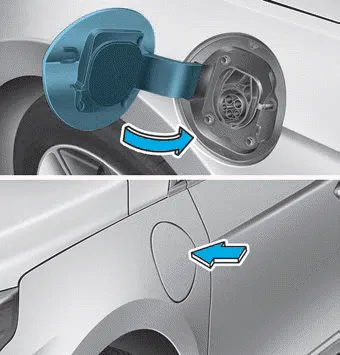
2. Make sure to completely close the charging door.
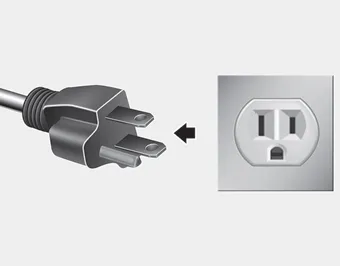
3. Disconnect the plug from the household electric outlet. Do not pull the cable when disconnecting the plug.
4. Close the protective cover for the charging connector so that foreign material cannot get into the terminal.
5. Put the charging cable inside the cable compartment to protect it.
Unlock Charging Connector in Emergency If the charging connector does not disconnect due to battery discharge and failure of the electric wires, open the hood and slightly pull the emergency cable.
Other information:
Hyundai Ioniq (AE) 2017-2022 Service & Repair Manual: A/C Pressure Transducer. Repair procedures
Inspection • Before measuring the pressure of the refriferant line, check whether the refrigerant amount is charged in accordance with the specified charging amount.(Refer to Heating, Ventilation, Air Conditioning - "Specifications")1.
Hyundai Ioniq (AE) 2017-2022 Service & Repair Manual: emperature Control Actuator. Repair procedures
Inspection1.Turn the ignition switch OFF.2.Disconnect the temperature control actuator connector.3.Verify that the temperature control actuator operates to the cool position when connecting 12V to terminal 3 and grounding terminal 7.Verify that the temperature control actuator operates to the warm position when connected in reverse.
Categories
- Manuals Home
- Hyundai Ioniq Owners Manual
- Hyundai Ioniq Service Manual
- If the 12 Volt Battery is Discharged (Hybrid Vehicle)
- Hybrid Control System
- Troubleshooting
- New on site
- Most important about car
