
Hyundai Ioniq (AE): Interior Features / USB Charger
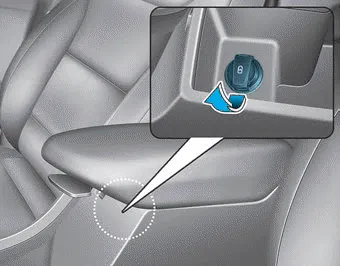
The USB charger is located inside the console box between the driver's seat and the front passenger's seat.
Insert the USB charger into the USB port, and re-charge a smart phone or a tablet PC.
A charging status/charging completion message will be displayed on the screen of your device.
Your device may get warm during the re-charging process. This does not indicate any malfunction with the charging system.
A device that requires a specific recharging method may not properly re-charge with this USB charger. If this is the case, use the specified charger for your device.
This USB charging terminal will not allow you to play your media on the AVN unit. To connect your media to the AVN unit, use the USB port in the multi box and follow steps in the Car Multimedia User's Manual that is supplied with the vehicle.
The power outlet is designed to provide power for mobile telephones or other devices designed to operate with vehicle electrical systems. The devices should draw less than 180 W (Watts) with the vehicle in the ready () mode.
There is a wireless cellular phone charger inside the front console. The system is available when all doors are closed, and when the Engine Start/Stop button is in the ACC/ON/START position.
Other information:
Hyundai Ioniq (AE) 2017-2022 Service & Repair Manual: emperature Control Actuator. Specifications
S
Hyundai Ioniq (AE) 2017-2022 Service & Repair Manual: Troubleshooting
Trouble Symptom ChartsTrouble Symptom 1Trouble Symptom 2 Trouble symptom Probable cause Remedy The set vehicle speed varies greatly upward or downward"Surging" (repeated alternating acceleration and deceleration) occurs after settingMalfunction of the vehicle speed se
Categories
- Manuals Home
- Hyundai Ioniq Owners Manual
- Hyundai Ioniq Service Manual
- Hybrid Control System
- Hybrid Vehicle Engine Compartment
- Maintenance
- New on site
- Most important about car
